
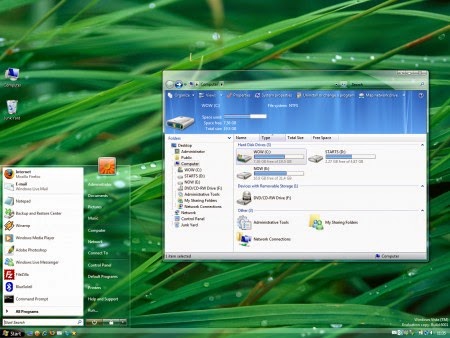
 Although Windows Vista didn't experience that much success as compared to Windows XP, still it has a fairly large user base across the world. The premium edition comes with the stylish Aero interface. There are dozens of highly customized skin packs and themes for Windows Vista for all users. Almost all of them are free-to-use and works seamlessly. Some of these skins are based on popular services and product which emulate the original design. You can definitely try out each of these skin packs before deciding the one you're finally going to use. Before using these themes, I'll advise you to create restore points for added safety. This way, you can easily revert back to your original desktop in case you do not like to stay with the custom skin pack. So, here are some of the excellent and handpicked Vista themes that can
 1. AeroVG Theme
 This stylish vista theme comes with the transparent start menu and taskbar, giving totally different browsing experience. AeroVG theme checkboxes and radio buttons are of Apple leopard style giving a mixed Windows and Apple experience.
Download AeroVG Vista Theme
2. Indigo Theme
 Another highly popular theme with a transparent address bar and transparent search. Other features include 3D user pic with new shell style. Doesn't take much system resources and definitely worth trying.
Download Indigo Vista Theme
3. Broken Aero Theme
 Make sure you have installed the Windows Blinds Theme rendering engine to use this theme. Very stylish and light on system resources. Great animation effects and smooth rendering of broken-edged sides makes it a unique theme.
Download Broken Aero Vista Theme
4. XBox 360 Theme
 Stunning graphics with loads of features. To install this theme on XP you have to first apply XP Theme Patcher (not needed for Vista).
Download XBox 360 Vista Theme
5. M7 Remix Theme
 Elegant theme with shady rounded windows. Large icons support and light on system resources.
Download M7 Remix Vista Theme
6. Harmony Theme
 It's a cool green Vista theme with frosty windows. One of the most popular theme with a high-quality rendering of windows.
Download Harmony Vista Theme
7. Blue Aurora Shellstyle Theme
 Crisp green with transparent windows soothing to eyes. Works fine even on low-end systems. This theme is based on 7’s Control Panel navigation pane.
Download Blue Arora Shellstyle Vista Theme
8. Auroh The Final Release Theme
 One more extremely popular Vista theme with stylish transparent menus and windows. This theme has an extremely stylish log-on screen that makes it one of the most installed Vista themes.
Download Auroh The Final Release Vista Theme
9. Camouflage Final Vista Basic Theme
 Stylish beige theme with rounded and shaded windows. This theme is also available for Windows XP.
 Download Camouflage Final Vista Basic Theme
10. Cleaero Theme
 Another blue Vista theme with transparent windows and taskbar. Soothing to eyes and very light on system resources.
Download Cleaero - Vista Theme
All skins compiled from deviantART Visual Styles.