

Did you write a Python script to watch how much disk space is left on your server? Or a bash script to push files to a remote server every few minutes? It runs great on the command line; you reboot your server, and it disappears. Then you have to SSH into it again, navigate to that directory, and execute the command to get it to run again. Sound familiar? This is exactly what systemd was designed for, and once you learn how to work with it, you will wonder how you ever survived without it, relying on cron job hacks. systemd is an init system and service manager present in all Linux distributions.
Showing posts with label Linux. Show all posts
Showing posts with label Linux. Show all posts
How to Write and Manage systemd Unit Files for Custom Scripts on Linux
On
7 Best Libraries to Create CLI Applications in Linux
On

Let's be honest! True Linux users thrive in the command-line environment. That's why Linux has such a great CLI application ecosystem. If, as a developer, your core focus is on building CLI applications for the Linux platform, I've handpicked some of the best libraries for the same. No matter the type of CLI application you are making, these libraries give you the raw power to include different types of handy features without any hassle. I've included short working examples for each library to help you understand their usage. Let's get started and check out these powerful CLI libraries for Linux.
ZFS on Linux: How to Use It Properly (With Real Examples)
On

If you care about data integrity, inadvertent deletion protection, and strong backup systems, ZFS on Linux is one of the best solutions you can employ to address all these needs. It’s not just a simple file system. Instead, it’s a powerful and full-fledged storage solution that can be used to manage RAID, file snapshots, file compression, and data integrity. Once you become familiar with it, transitioning to old-school setups like Ext4 + LVM feels limiting and insufficient. In this guide, we’ll provide you with real-world examples and practical commands that you can tweak and use for your ZFS setup. No lengthy explanations.
How to Optimize Ubuntu Linux for Low-End Hardware (Command-Line Only)
On

If you are running Ubuntu on an old computer, some lag is noticeable while multitasking. Although Linux is known to perform well even on old hardware, a slight lag is present if you are doing resource-consuming tasks. In this guide, we'll optimize Ubuntu for performance through the command-line interface. Some of the methods given below are applicable to other Linux distros as well. After applying these techniques, your Ubuntu Linux instance will be lightning fast even on old hardware. The tutorial is focused on a minimal setup aimed at power users who prefer the command-line over the GUI interface.
Linux Network Commands Every Pro User Should Know
On

Suppose you are a savvy Linux user, administrator, programmer, or aspiring professional in network security. In that case, mastering essential Linux network management commands is one of the skills you need in your toolbox. Over the years, apart from classic network commands, several modern alternatives have also popped up. We'll look at some of the most powerful and best network commands for the Linux platform. In this guide, we'll learn the practical, real-world usage of these commands to help you better manage your Linux instance. These commands come preinstalled with popular Linux distributions.
How to Set Up a Complete Dev Environment on WSL
On

Windows Subsystem for Linux (WSL) enables developers and programmers to experience a native Linux development environment right on a Windows machine. With each new version, WSL incorporates new and useful features to provide a full-fledged Linux experience within a Windows environment. For example, you can now run Linux GUI apps through WSL, which opens up infinite possibilities for Linux enthusiasts. Today, we're going to learn how to configure and set up a complete development environment in WSL. Depending on your preferences, you can make the necessary changes in this setup.
A Beginner’s Guide to Managing Swap Space on Linux
On

Every modern operating system has a robust memory management system to efficiently run the processes on a system with low RAM. Linux too has one which involves the use of swap space. In this tutorial, we will not only understand the use and features of swap space but also how we can manage it—like a pro—on our Linux system. Swap space helps you avoid system crashes and improve performance in a low-memory environment. We'll also see practical examples of creating, resizing, and removing swap space on a Linux system. Let's get started and master swap space management on Linux.
15 Useful and Must-Have Linux Terminal Tools for Power Users
On

Linux terminal environment is where the real power lies. Savvy users, network admins, programmers, and tech enthusiasts always prefer the terminal environment when working with a Linux system. It gives you the raw power and flexibility to do things you may not be able to do through a GUI application. A command line environment is comparatively faster than a GUI for resource-consuming tasks. Today, we will learn about some of the most useful and productive tools aimed at power users who prefer Linux command-line environments. These tools should make your daily workflow—a breeze!
How to Debug Linux Errors Like a Pro
On

When it comes to desktop OS market share, Linux may not be the number one choice, but it still has millions of users across the world. Like any other operating system, it is too prone to errors. If you are new to Linux and struggle to resolve and debug errors in the Linux environment, here's a guide to help you tackle the most common errors, its users may encounter. Whether these errors are related to system crashes or an incorrectly configured application, this tutorial guides you through a step-by-step method to handle these errors. You can apply these methods to all popular distros without little or no changes.
How to Run Linux Distros on an Android Smartphone
On

If you are a developer, tech enthusiast, or hobbyist, and want to run full-fledged Linux distributions on an Android smartphone, some tools enable you to do it easily. These tools run Linux distros in an isolated environment keeping your Android system safe from any inadvertent change or damage. Once installed, you can use these full Linux environments for development and testing. Or, one can also use it for tinkering with various tech-related tasks. In this tutorial, we'll see two tools that'll let you install Linux distros on Android easily. So, tighten your seat belts and learn to run Linux distros on Android.
A Step-by-Step Guide to Creating Filesystems in Linux
On

Every operating system supports one or more types of filesystems for storing and managing data in the form of files and directories. Linux supports different types of filesystems and managing them can be a cumbersome task, if not done correctly. In this guide, we'll learn about different filesystems of Linux and how you can create and manage them—like a pro. I'll include practical step-by-step examples to help you master filesystem creation in Linux. Depending on the Linux distribution, the filesystem management commands may differ. So, let's get started and learn how to create filesystems in a few easy steps.
How to Compile and Install a Custom Linux Kernel
On

Although kernels that come preconfigured with most Linux distributions are good enough for general use cases, at times, we may want to have a custom kernel installed for our special use case. One may want a custom Linux kernel to optimize or support specific hardware or just to enable an experimental feature not yet available on the stable channel. And some hobbyists just want to deep dive into kernel workings and want to explore. Whatever the case, compiling and installing a custom Linux kernel is not hard at all. One doesn't need to be a hardcore systems programmer to do that. Let's see how we can do it.
10 Best Automation Tasks for Ubuntu Linux (with Practical Examples)
On

Automation is one of the best ways to increase productivity. Whether you are a general user or a technically sound individual, certain common and useful tasks can be automated on Ubuntu Linux to save you time—thereby increasing your productivity by many folds. I've selected a list of the 10 most useful tasks you can automate on your Ubuntu machine. Each task is explained with an example so you can easily implement it on your system. Once you get a knack for it, I'm sure you'll create more tasks to ease your daily workflow. Let's get started and become an automation ninja for the Linux platform.
How to Create an Encrypted Virtual Hard Drive in Linux
On

One of the best ways to store sensitive data locally is to create an encrypted virtual hard drive on an operating system of your choice. In this guide, we're going to make one in Linux. Familiarity with the command line environment can help but is not essential. Although creating a physical NAS storage system for home use is the ultimate solution to secure your private data, the option discussed in this guide is a viable option if you are tight on budget. To ensure maximum security and best results, add a secondary hard disk to your Linux system and use it to create virtual drives. So, let's get started!
How to Keep Your Linux System Secure From Hackers
On

As Linux gains widespread adoption across diverse platforms—ranging from servers and desktops to IoT devices—the need for securing these systems has become increasingly critical. While Linux is renowned for its solid security foundation, no operating system is entirely invulnerable to cyber threats. Attackers constantly evolve their tactics, making it vital for Linux users to stay ahead with the latest security measures. In this tutorial, we’ll explore popular security measures that every Linux user should implement. These best practices will help you mitigate risks and safeguard sensitive data. Let's get started!
How to Add Custom Firewall Rules to Ubuntu
On

Firewalls are a must on every operating system to deal with both traffic management and to deter hackers from gaining access to your computer. Nowadays, firewalls are available for almost every platform and Linux is no different. Today, we're going to learn about creating custom traffic filtering rules for a firewall on a Ubuntu computer. It's easy to do but can be messy as well, if not done correctly. If available, I suggest playing with firewall rules on a spare computer to get familiar with how things work. So, let's get started and learn to create custom firewall rules on a Ubuntu machine.
20 Best Terminal Emulators for Linux
On
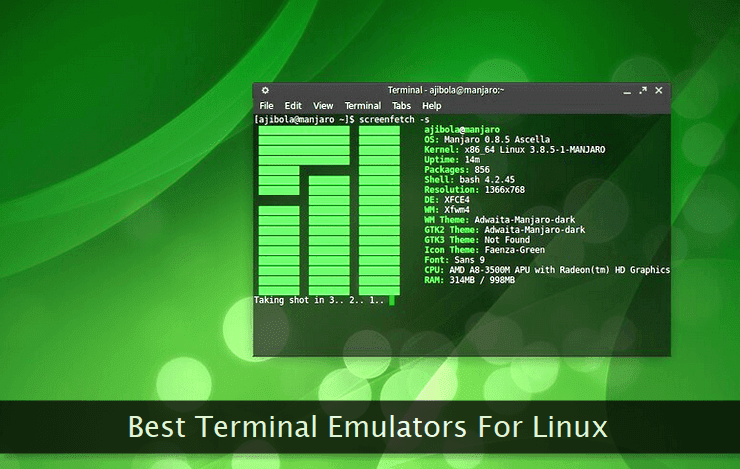
An average Linux user uses a terminal emulator almost every day. No matter what the level of your technical expertise, a terminal emulator plays an important part in the daily routine of a Linux user. Working in a shell environment through a terminal emulator enables you to perform simple to complex tasks—like a pro. There are several good terminal emulators available for the Linux platform. I've handpicked some of them. Almost all of them are free to use and are available for all the popular Linux distributions. Let's get started and quickly compare their features, options, and functions.
How to Download Files from the Linux Command Line
On
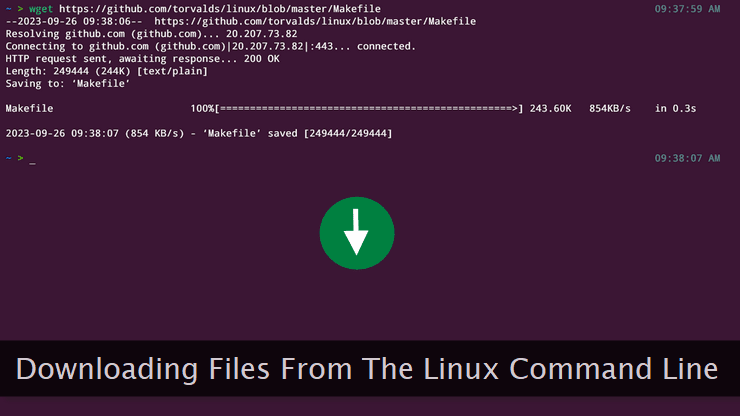
Downloading different types of files from within a web browser or through a GUI application is easy. Almost all of us can do it without any issues. But, if you're a frequent Linux command line user and often need to download files from the internet, switching to GUI mode for the same can be cumbersome. Fortunately, there are several tools and commands to download files directly from the Linux command line. Some of these tools are like a Swiss army knife capable of doing several other tasks too. Let's take a look at some of the best and Most reliable file-downloading utilities for the Linux command line.
Linux Package Management: How to Use Apt and DNF
On
No matter which Linux distribution you're using, package management is critical for installing, updating, and removal of software applications. Almost every popular Linux distribution has its package management system and understanding its functioning is important to efficiently manage a Linux box on a day-to-day basis. In this tutorial, I've picked three popular package managers viz., Apt, Yum, and DNF, that are supported by some of the most popular Linux distributions. We'll take a look at some of the basic commands of these package managers to make you familiar with their features.
5 Fastest and Most Reliable Ways to Send HTTP Requests in Linux
On
Developers and system administrators working in Linux environments often need to send HTTP requests in different scenarios. Whether it's an API testing routine or a network troubleshooting session, firing HTTP requests is one of the common tasks in these situations. In this tutorial, we'll discuss various methods to send HTTP requests in Linux. Both the command line tools, as well as programmatic options, will be discussed. Almost all of the tools mentioned below work seamlessly on all popular Linux distributions. Some of them come pre-bundled while others can be installed manually. Let's get started.