

Your Android smartphone stores a wealth of personal information about you, including private conversations, banking app details, passwords, photos, location data, and even your voice recordings. That's why spying apps, also known as stalkerware or mobile spyware, are quickly emerging as a major cybersecurity threat. What's truly alarming is that many of these apps operate discreetly in the background, and most people are unaware they're being tracked. In this comprehensive guide, you're going to learn how spying apps end up on your phone in the first place.
Showing posts with label Android. Show all posts
Showing posts with label Android. Show all posts
How to Turn Any Android Phone into a Wi-Fi Extender
On

If you are living in a large home and experiencing Wi-Fi connectivity issues across rooms, a Wi-Fi extender or repeater is an excellent choice to strengthen and expand the reach of your network. Instead of buying a brand new Wi-Fi extender, you can repurpose an old and spare Android phone using it to broaden the reach of your Wi-Fi network across your home. In this tutorial, I'll show you how you can convert an Android phone into a Wi-Fi extender or repeater. There are several ways to do it, and we'll look into all of the available options. You can even use your current Android phone for the same. Let's get started!
How to Block Ads on Android Without Root Access
On

Ads are everywhere and smartphones are no exception. Whether it's a gaming app, a video app, or a web browser, ads on the Android platform can ruin your entire experience. Sometimes, you may like an app but discontinue its usage because it contains many ads. So, how do you get rid of these ads on an Android smartphone? One way is to root your Android device and block ads at the system level. But, it's risky and also requires some technical know-how. Another way is to opt for a method that doesn't require rooting of an Android device. There are several ways to block ads and that's what we're going to learn.
Powerful Android Developer Mode Tricks for Non-Techies
On

While exploring Android's settings menu, you may have encountered Developer Options. For a general user, this option is only intended for advanced computer nerds or programmers. But, that's not the case! A common user can also benefit from several powerful tricks and options found in the developer mode. By using these tricks, one can get a better and unique experience while using his smartphone. In this post, I've mentioned some of the best tips and tricks to make the most of Android's developer mode. All of these tricks are safe to use and won't break your phone. So, let's get started!
How to Run Linux Distros on an Android Smartphone
On

If you are a developer, tech enthusiast, or hobbyist, and want to run full-fledged Linux distributions on an Android smartphone, some tools enable you to do it easily. These tools run Linux distros in an isolated environment keeping your Android system safe from any inadvertent change or damage. Once installed, you can use these full Linux environments for development and testing. Or, one can also use it for tinkering with various tech-related tasks. In this tutorial, we'll see two tools that'll let you install Linux distros on Android easily. So, tighten your seat belts and learn to run Linux distros on Android.
Top 4 Terminal Emulators for Android Smartphones
On

Developers and system administrators often had to execute programs and jobs in a command-line environment. What if they want access to a terminal—while on the go? An Android smartphone can run terminal emulators. They're full-fledged command-line environments capable of executing programs and running shell scripts. I've compiled a list of handpicked terminal emulators built for Android smartphones. If required, you can also set up a Linux development environment through these terminal apps. Depending on your exact requirements, you can pick the one that fits your needs.
The Ultimate Guide to Backing Up Text Messages on Android
On

Although most of the communication nowadays happens on new social media apps, text messages still are one of the most used mediums of communication on smartphones. Some of these text messages can be important for you in different ways depending on the context. Have you ever thought about taking regular backups of your text messages on an Android phone? There are several ways to take these backups and we'll explore them one by one. The good thing is that backups of text messages do not take up much space. So, no matter which solution you opt for, there always will be space for backups.
How to Recover Deleted Photos on an Android Phone
On

Whether you're snapping photos for fun or clicking some of the most precious memories of your life, keeping them safe is a must if you value them. But, what if you have accidentally or inadvertently deleted them? Can they be recovered? Yes, you can! In this tutorial, we will explore some of the best ways to recover deleted photos on an Android phone. Some of these methods can be completed using Android default features and apps, while others may require a third-arty application. Whatever the case, the end goal is to recover a deleted photo. So, grab your phone and start the recovery process.
How to Keep Your Android Phone's Screen Always-On
On

Although most users prefer to keep their smartphone's screen off when not in use, some do prefer to keep it on. By default, it turns off automatically after a few seconds. One can increase this time too. But, what if we want to keep the screen on—permanently? There are several ways to achieve it. We'll take a look at each of these methods. Depending on your smartphone's model, you may opt for one of these to keep your phone's screen, always on. But, before you do it, here's a warning. Keeping a smartphone screen always on will drain its battery much faster than ever. So, think before you exercise this option.
How to Find Your Lost Smartphone Through Your Google Account
On
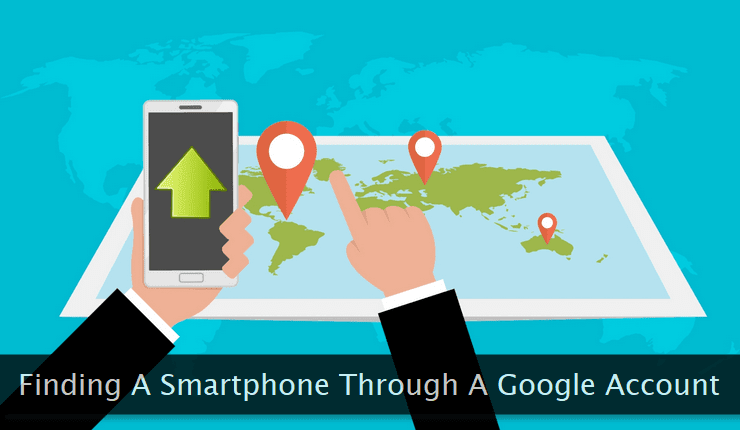
Whether it is a theft or just leaving your smartphone behind—inadvertently, the loss of a smartphone is common across the world. The latter is common among new smartphone users. Fortunately, there are several ways to find and recover your lost smartphone. Third-party applications are available to track and recover a phone. But, Google has an excellent facility to track and find a smartphone. And, that's what we're going to learn today. All you need is a Google account and you're good to go. Using the methodology mentioned below is dead simple. One just needs to be aware of it. Let's get started!
How to Cast or Mirror Android Screen to a Windows PC
On
Nowadays, projecting the screen of one device onto another's screen is quite common. People often project screens of various devices to their smart TVs. Today, we're going to learn how to cast or mirror an Android smartphone's screen to a Windows PC. It applies to other platforms (Mac and Linux) as well. Although there are several premium tools and software to help you do the same, we'll take a look at the free and easiest solution to get the job done. Make sure you're not running a very old version of Android and have at least Windows 7 on your PC. Let's mirror our Android smartphone screen on a PC.
How to Choose and Buy a Smartphone That Fits Your Needs
On
With dozens of companies and hundreds of models to choose from, buying the right smartphone that fits your needs is a herculean task. There are so many factors and variables to consider when looking for a smartphone. It can become more stressful if the buyer is a bit technically challenged. In this guide, we're going to address this very problem. After going through it, you'll be in a better position to pick or choose the right smartphone for your needs. All of the pointers mentioned here are generic in nature and not targeted toward a specific brand. So, let's get started to learn to select a good smartphone.
How to Optimize and Improve Your Android Experience
On

Android is a stable, mature, and feature-packed mobile operating system. Most users tend to use it with its default settings following the common usage patterns. But, there are several ways to enhance and optimize the entire experience of using an Android smartphone. And, that's what we're going to learn in this tutorial. Almost all of the fine-tuning methods presented below are more or less applicable to any smartphone powered by Android. After applying these tips and tricks, you'll be more productive and the usage will be much smoother as well as quicker. Without wasting any time, let's move ahead.
How to Turn Your Android Smartphone Into a Document Scanner
On
A smartphone can be used in different ways and one of them is the document scanner. Here, we're talking about document scanning for home and personal use. Though natively a smartphone doesn't have a document scanning facility, a specialized app can do the job—with ease. And, that's what we're going to focus on in this post. I've hand-picked some of the best document scanning apps you can use on your Android smartphone. These apps have the capability to scan and convert documents in various image and PDF formats. All you need is a smartphone with a decent camera. Let's check out these apps.
How to Use an Android Phone as a Fax Machine
On
With the advent of modern gadgets, several old technologies have either ceased to exist or have gone low profile. But, some of these technologies are still relevant and are often used in business workflows. One such technology is a Fax machine to send replicas of documents to a remote location. If you're regularly on the go and still need to fax documents to your clients or peers, there are several solutions to do it through your smartphone. These specialized applications are made just for this purpose. Make sure your smartphone has a good camera before using one of these fax apps. Let's fax from our Android phone.
How to Keep Your Android Mobile Hotspot Secure
On
Security is one of the primary concerns when working with smart devices and gadgets. Unauthorized access to the resources attached to these devices can leak your private information to malicious users. One of the critical resources often shared with others is the mobile hotspot. It's generally shared with the known ones. In this tutorial, we'll focus on private mobile hotspots created on Android devices. We'll learn how to keep our mobile hotspots secure as well as restrictive for authorized users too. All of the steps mentioned below are more or less the same for every Android smartphone model.
How to Free Up Storage Space on Your Android Smartphone
On
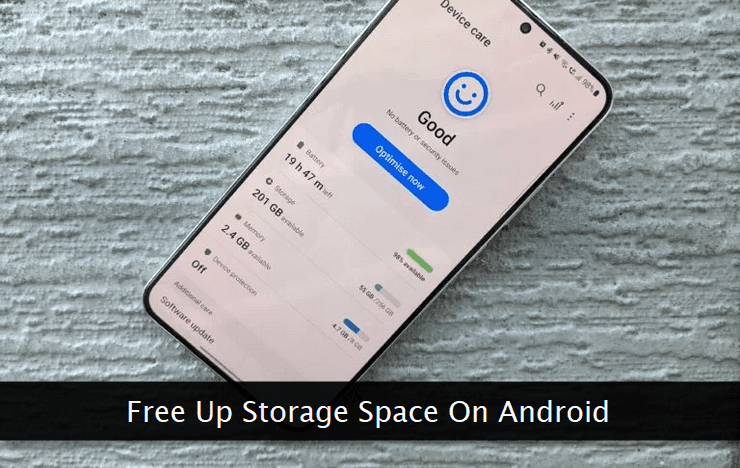
Whether you have plenty or limited storage space on your smartphone, using it smartly ensures you never run out of it. This involves regular purging of unused and unnecessary files from the device. There are several ways to do it. We'll look at some of the most popular ways to free up storage on an Android smartphone. Apart from the built-in option to free up and clean the storage, several apps are also available for the same. It's up to you which approach you want to go ahead with. I prefer the native option provided by Android. Let's see how we can free up storage on an Android device.
8 Best Video Editing Apps for Android Phones
On
With more and more powerful camera configurations, smartphones have become a primary tool to capture videos replacing digital cameras to some extent. Capturing a raw video is often not enough when it comes to sharing it with others. That's where editing comes into place. One option is to download the video file on a desktop computer and then do the editing work. But, what if you want to do the same right with your Android phone? Video editing apps are made exactly for this purpose. We're going to see some of the best video editing apps built for Android-powered smartphones. So, here we go!
How to Use an Android Phone as a Webcam on a PC
On
Generally, an inbuilt webcam on a desktop or a laptop doesn't have enough resolution and clarity to give you a true HD experience during a video call. On the other hand, smartphone cameras have come a long way and are much more powerful than these inbuilt webcams. What if you can use your smartphone's camera as a webcam during a Zoom or a Google Meet session? That's what we're going to learn about today. It's a multi-step method that can be completed in less than 10 minutes. Depending on your phone's camera quality, you can stream high-quality video without spending at all on a separate digital camera. A couple of accessories are required to give the best experience to the viewers at the other end. I've mentioned both of them in the guide below. Another important thing worth noting is your connection speed. No matter how good is your phone's camera, if your internet connection is a bit slow, the video quality will be adjusted by the software. So, let's get started and see how we can do it.
Continue Reading →
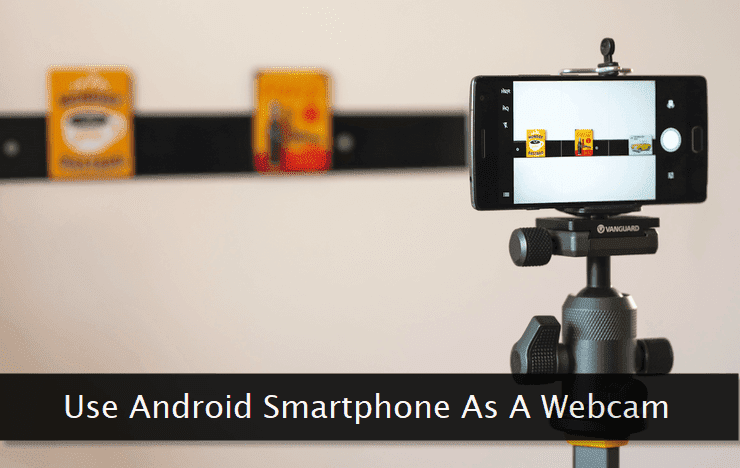 Generally, an inbuilt webcam on a desktop or a laptop doesn't have enough resolution and clarity to give you a true HD experience during a video call. On the other hand, smartphone cameras have come a long way and are much more powerful than these inbuilt webcams. What if you can use your smartphone's camera as a webcam during a Zoom or a Google Meet session? That's what we're going to learn about today. It's a multi-step method that can be completed in less than 10 minutes. Depending on your phone's camera quality, you can stream high-quality video without spending at all on a separate digital camera. A couple of accessories are required to give the best experience to the viewers at the other end. I've mentioned both of them in the guide below. Another important thing worth noting is your connection speed. No matter how good is your phone's camera, if your
 How to Create and Automate Custom Tasks on an Android Smartphone
On
Though an average user may never feel the need to create custom tasks on an Android smartphone, savvy ones do want an easy way to do so. These custom tasks can range from a custom notification upon an SMS arrival from a specific number to a multi-step task involving several common tasks grouped linearly. Natively, Android doesn't provide an option or a way to create such custom tasks. But, there are several specialized apps made specifically for this purpose. Almost all of them provide extremely flexible options to create a multi-step custom task without meddling with any kind of code. I've handpicked some of the best ones and have tested them thoroughly before including them in the list. Initially, you may struggle to create custom tasks through these apps as it may sometimes feel, a bit overwhelming. But, after creating a couple of custom tasks, you'll get hold of it and then the sky is the limit. While creating tasks through these apps, make sure you do not mess with your phone's system settings.
Continue Reading →
 Though an average user may never feel the need to create custom tasks on